
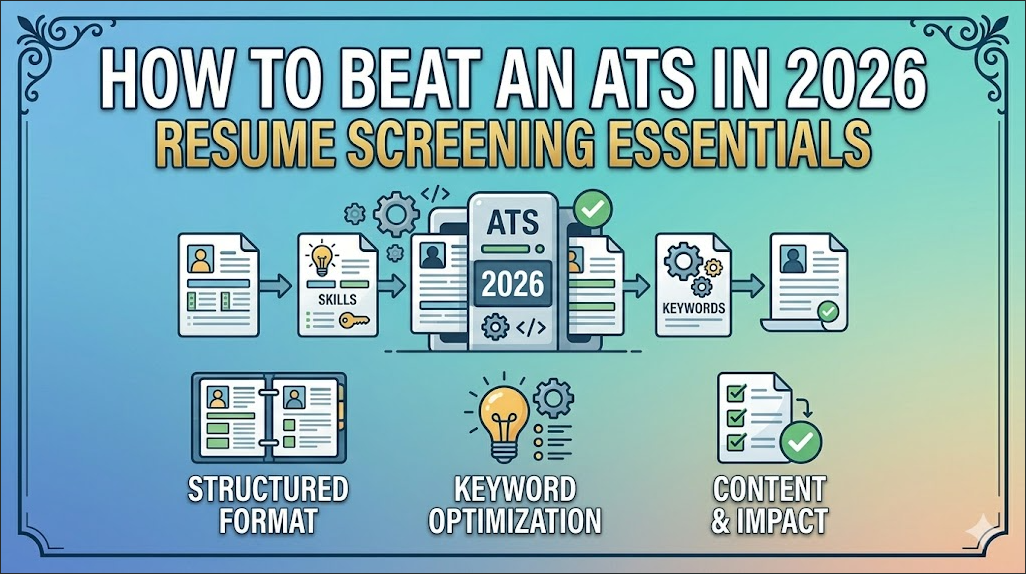
How to Beat an ATS in 2026: What Resume Screeners Actually Look For (And How to Get Past Them)
You spent hours on your CV. You tailored it carefully to the job description. You formatted it cleanly. You submitted it with confidence. And then, nothing.
No acknowledgement. No rejection email. Just silence.
In many cases, the problem is not your qualifications. It is possible that your CV never reached a human reader. It was filtered out by an Applicant Tracking System, the software that most medium and large employers use to screen applications before any recruiter sees them.
Understanding how ATS works and structuring your CV to work with it rather than against it is one of the highest-impact things you can do for your job search in 2026. This guide gives you the complete picture.
What Is an ATS and How Does It Work?
An Applicant Tracking System (ATS) is software that employers use to receive, organise, and screen job applications. When you apply for a role at a company using an ATS, which includes most medium and large organisations globally, your CV is parsed by the software before any human sees it.
The ATS does several things:
Parses your CV — extracts information from your document and stores it in structured fields: name, contact details, work history, education, skills.
Matches keywords — compares the content of your CV against the job description, looking for terms that align with what the employer specified.
Scores your application — many ATS platforms generate a match score that ranks applicants. Recruiters often filter to review only applicants above a certain score threshold.
Filters for knockout criteria — some ATS configurations automatically reject applicants who do not meet specific hard requirements (e.g., minimum years of experience, specific degree, or specific certification).
The result is that a CV which would impress a human recruiter, but which fails to include the right keywords in the right places, or which uses a format the ATS cannot parse correctly, can be effectively invisible.
The Most Common ATS Mistakes That Get CVs Rejected Before Anyone Reads Them
Mistake 1: Using a Complex, Multi-Column Format
Many CV templates, particularly those downloaded from design websites, use multi-column layouts, sidebars, text boxes, and tables. These look professional to human eyes but are frequently misread or entirely missed by ATS parsers.
The parser reads left to right and top to bottom in a single flow. Content in a sidebar column may be read in the wrong place or not at all. Text in a text box may be completely ignored. Tables are often parsed incorrectly.
The fix: Use a clean, single-column, text-based CV format. No sidebars. No text boxes. No complex tables. Your formatting should be invisible to the ATS — just text, clear section headings, and consistent structure.
Mistake 2: Using the Wrong File Format
PDF is the most reliable format for preserving your visual formatting when a human reads your CV. But some ATS platforms, particularly older ones, parse PDF files poorly or not at all.
The safest format for ATS submission is a .docx (Word document). Most modern ATS platforms handle docx files reliably. Unless the job posting specifically requests a PDF, submit in Word format.
The fix: Submit in .docx unless the application explicitly asks for PDF. If you want to send a PDF as a backup, mention in your cover letter that you can provide a Word version.
Mistake 3: Missing Keywords From the Job Description
This is the most common reason ATS-screened applications fail. The job description tells you exactly what keywords the ATS is looking for, and if your CV does not contain them, your match score suffers.
Keywords include:
- Job title variations (“Customer Success Manager,” “CSM,” “Client Success”)
- Required tools and software (“Salesforce,” “Zendesk,” “HubSpot”)
- Required skills (“data analysis,” “stakeholder management,” “project management”)
- Required credentials (“PMP certified,” “Google Analytics certified,” “CPA”)
- Industry-specific terminology
The fix: Read the job description carefully and identify the most frequently mentioned and most specifically stated skills, tools, and qualifications. Check your CV for these exact terms, not synonyms, but the exact language used. Where these terms honestly apply to your experience, use them.
Mistake 4: Using Images, Icons, and Graphics
A profile photo, a skills bar showing “Python 80%,” company logos, or decorative icons all look impressive on a designed CV template. An ATS cannot read any of them. Images and graphics are typically skipped entirely by parsers.
More importantly, if your section headings are designed as images rather than formatted text, the ATS may not recognise that you have a “Work Experience” or “Education” section at all.
The fix: Remove all images, icons, graphics, and decorative elements from your CV before submitting to any ATS-screened application. Save the designed version for human-only contexts.
Mistake 5: Using Non-Standard Section Headings
“My Journey” instead of “Work Experience.” “What I Know” instead of “Skills.” “Where I’ve Studied” instead of “Education.” Creative section headings signal personality but confuse ATS parsers that are looking for specific, standard labels.
The fix: Use standard section headings: Work Experience, Education, Skills, Certifications, Summary. These are the terms ATS systems are configured to recognise.
Mistake 6: Leaving Out the Exact Job Title
ATS systems frequently match the job title on your CV against the job title in the posting. If the role is “Digital Marketing Manager” and your previous title was “Digital Marketing Lead,” the ATS may not treat these as equivalent, even though you know they mean the same thing.
The fix: Where it is honest and accurate to do so, align the titles on your CV with the terminology used in the job description. If your official title was “Marketing Lead” but your role was functionally a manager, you can write “Marketing Lead (Manager)” or adjust the language in your role description to mirror the target terminology.
How to Tailor Your CV for ATS: A Step-by-Step Process
Step 1: Copy and paste the full job description into a word frequency analyser (Jobscan.co has a free version, or simply paste it into any word cloud generator).
Step 2: Identify the 10–15 most significant keywords — job-specific skills, tools, qualifications, and industry terms that appear most frequently or most prominently.
Step 3: Open your CV and check whether each keyword appears. Mark the ones that are missing but are honestly applicable to your experience.
Step 4: Rewrite relevant bullet points or add skills section entries to include these keywords naturally. Do not add skills you do not have; ATS keyword stuffing catches up with you in the interview.
Step 5: Run your CV through Jobscan’s free ATS comparison tool — paste your CV, and the job description, and the tool shows your keyword match score and missing terms.
Step 6: Adjust until your match score is above 70%, this threshold varies by employer, but it is a reasonable target for competitive applications.
What Modern ATS Can and Cannot Do in 2026
ATS technology has become more sophisticated. Several things are worth knowing about the current state of the technology:
Modern ATS understands semantic similarity — platforms like Greenhouse, Lever, and Workday have moved beyond simple keyword matching to understanding semantic relationships between terms. “Customer success” and “client retention” may now be recognised as related by some ATS platforms. However, exact matching is still the safest approach.
ATS does not evaluate quality — the ATS cannot tell whether you are a good writer, whether your achievements are impressive, or whether your experience is genuinely relevant. It can only match patterns in text. A CV with perfect keyword alignment but weak content will pass ATS — and then be rejected by the human recruiter. Both layers matter.
AI-enhanced screening is growing — some employers are layering AI analysis on top of ATS parsing to generate deeper candidate assessments. The principles of clear, specific, keyword-rich writing apply even more strongly in this context.
Your ATS-Ready CV Checklist
- Single-column format with no sidebars, text boxes, or tables
- Submitted as .docx (unless PDF explicitly requested)
- Standard section headings: Summary, Work Experience, Education, Skills, Certifications
- No images, icons, graphics, or decorative elements
- Job description keywords identified and incorporated naturally
- Job title aligned with target role terminology, where honest
- All relevant tools and software are named explicitly (Zendesk, HubSpot, Salesforce, etc.)
- Certifications named in full (e.g. “Google Data Analytics Professional Certificate”)
- Bullet points use action verbs and specific outcomes rather than generic duties
- CV saved with a professional filename: FirstName-LastName-CV.docx
Related Reading
- How to Write a CV That Gets You a Remote Job in 2026
- How Recruiters Read Your CV in 30 Seconds
- How to Write a Cover Letter for a Remote Job in 2026
- Browse all current remote jobs: 👉 jobs.iammagnus.com/jobs
FAQ
Does every employer use ATS?
Most medium and large employers do. Small businesses and startups that receive low application volumes often review CVs manually. For well-known companies and roles with high application volumes, assume ATS is in use.
If I pass ATS, am I guaranteed a human review?
Passing the ATS filter means a recruiter will see your CV. It does not guarantee an interview; the recruiter still evaluates whether your experience and presentation are strong enough to progress.
Does LinkedIn apply ATS to Easy Apply applications?
LinkedIn’s Easy Apply system has its own screening layer that functions similarly to ATS, parsing your profile and application for relevant terms. The same keyword alignment principles apply.
How many times should I tailor my CV?
Every application deserves at least a light customisation, adjusting your summary and skills section to match the specific job description. Full rewrites are not necessary for every application, but keyword alignment should be done for every role you seriously pursue.

