
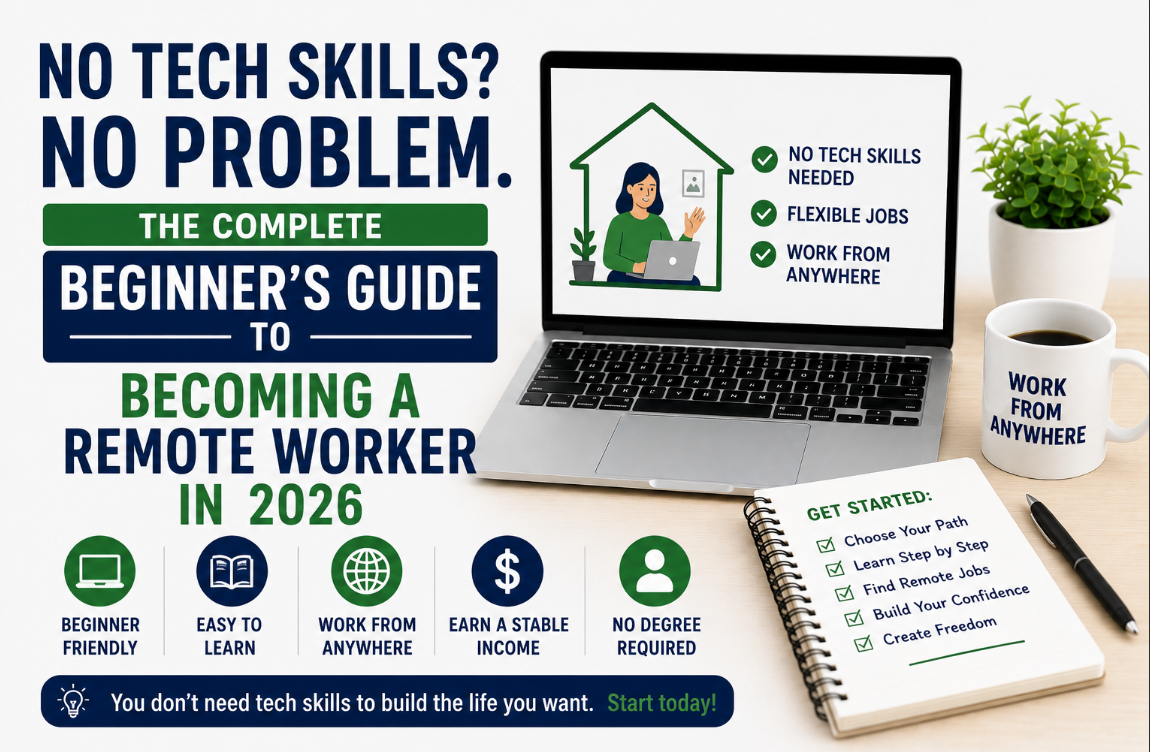
No Tech Skills? No Problem. The Complete Beginner’s Guide to Becoming a Remote Worker in 2026
Full breakdown of how to become a remote worker, what it is, skills needed, where to find work, tools etc. Every week, messages come in that say some version of the same thing: “I want to work remotely. How do I start? I don’t have any technical skills.”
This post is the complete answer to that question. Not a teaser. Not a list of links. A full, honest, step-by-step breakdown of what remote work actually is, who it is for, what skills you realistically need, how to build them, where to find remote jobs, and what tools you need to do the work.
If you are starting from zero, this is your starting point.
Part 1: What Remote Work Actually Is
Remote work means doing your job from a location other than a traditional office, usually your home, a co-working space, or anywhere with a reliable internet connection. Instead of commuting to a physical office, you connect with your team and clients through digital tools: video calls, messaging platforms, shared documents, and project management software.
Remote work is not a new concept, but it became mainstream after 2020 when millions of companies discovered that many jobs could be done effectively without physical co-location. Today, remote work is the default hiring mode for thousands of companies worldwide, particularly in technology, marketing, sales, customer support, education, and creative fields.
Types of Remote Work
Fully remote: You work entirely from your chosen location, always. The company has no physical office or does not require you to attend one.
Hybrid remote: You work some days remotely and go into an office on others. Less relevant for international remote workers who cannot access the office, regardless.
Remote-first: The company is built around remote work as the default; all processes, tools, and communication are designed for distributed teams. These are often the best employers for international remote workers.
Freelance/contract remote: You work for multiple clients on a project or retainer basis rather than as a full-time employee of one company. More flexibility, more variable income.
What Remote Work Is Not
Remote work is not:
- A passive income scheme or a way to earn money without doing real work
- Exclusively for programmers or tech professionals
- Automatically easier than office work
- Something you can do well with a poor internet connection or no dedicated workspace
Part 2: Do You Need Technical Skills to Work Remotely?
This is the question most people are really asking. The honest answer is: it depends entirely on what type of remote work you want to do.
Technical skills are required for: Software development, data science, cybersecurity, cloud engineering, DevOps, machine learning, and similar roles. These are high-paying but have significant learning curves.
Technical skills are NOT required for: Customer support, virtual assistance, content writing, social media management, sales development, project coordination, HR operations, graphic design (at the beginner level), copywriting, online tutoring, and many others.
The remote job market is not exclusively a tech market. Millions of non-technical remote jobs exist at international companies — and many of them are genuinely accessible to people starting from scratch. What they do require is the right set of remote-ready skills, which are different from technical skills.
Part 3: The Skills You Actually Need for Remote Work
Category 1: Remote-Ready Core Skills (Everyone Needs These)
These are not optional. Every remote worker needs them regardless of the specific job.
Written communication: Remote work is asynchronous, meaning much of your interaction with colleagues and clients happens through text rather than in real time. If your written communication is unclear, imprecise, or unprofessional, remote work will be difficult regardless of how strong your other skills are. Strong written English, clear, concise, and professional, is the single most important skill for any remote worker.
Self-management and discipline: No one is watching you work. No manager is walking past your desk to check if you are on task. Remote workers manage their own time, set their own priorities within the framework their employer provides, and deliver results without hand-holding. The ability to sit down, focus, and produce work without external accountability is not a given; it is a skill that needs to be built and maintained.
Digital literacy: You do not need to be a programmer, but you need to be comfortable with technology. This means: using email professionally, navigating Google Workspace or Microsoft Office, managing your files and folders, using video conferencing tools (Zoom, Google Meet, Microsoft Teams), and learning new software tools when required.
Reliability and responsiveness: In a remote team, your reputation is built entirely on what you deliver and how you communicate. Responding to messages promptly, meeting deadlines consistently, and following through on commitments is how you become trusted, and trusted remote workers keep their jobs and get promoted.
Time zone awareness: If you are working for a company in the US or UK from Nigeria, Ghana, or another African country, you need to understand your time zone overlap with your employer and manage it proactively. Know when your client or team’s working hours begin and end. Be clear about your availability. Under-promise and over-deliver.
Category 2: Job-Specific Skills (Choose Your Path)
Once you have the core skills, you need at least one job-specific skill that employers or clients will pay for. Here is a breakdown by path, from the most accessible to the most technical.
Path 1 — Customer Support (Most Accessible) What it involves: Helping customers use a product, resolving issues, answering questions via chat, email, or phone. Skills needed: Strong written communication, patience, problem-solving, familiarity with help desk tools like Zendesk or Intercom. Time to job-ready: 1–3 months. Starting salary range: $25,000–$50,000 USD/year for remote roles at international companies
Path 2 — Virtual Assistance and Operations: What it involves: Supporting executives or business owners with scheduling, research, data entry, inbox management, travel booking, document preparation, and admin. Skills needed: Organisation, attention to detail, Google Workspace or Microsoft Office proficiency, and communication. Time to job-ready: 1–2 months Starting salary range: $15–$35 per hour freelance | $25,000–$45,000 as a full-time remote employee
Path 3 — Content Writing and Copywriting: What it involves: Writing blog posts, articles, website copy, social media content, email sequences, and marketing materials for businesses. Skills needed: Strong written English, research ability, understanding of how to write for an audience and a purpose. Time to job-ready: 2–4 months to build a basic portfolio. Starting rates: $0.08–$0.25 per word | Higher for specialised niches
Path 4 — Social Media Management: What it involves: Creating and scheduling content for businesses’ social media profiles, engaging with their audience, and reporting on performance. Skills needed: Familiarity with social media platforms, content creation, basic graphic design (Canva is sufficient to start), and analytics. Time to job-ready: 2–3 months Starting rates: $300–$1,500 per month per client freelance
Path 5 — Sales Development (SDR) What it involves: Reaching out to potential customers on behalf of a company, qualifying their interest, and booking meetings for the sales team. Skills needed: Communication confidence, persistence, CRM familiarity (HubSpot or Salesforce), and research skills. Time to job-ready: 1–3 months Starting salary range: $35,000–$60,000 USD base + commission for remote SDR roles
Path 6 — Graphic Design What it involves: Creating visual assets — logos, social media graphics, presentations, marketing materials, website visuals. Skills needed: Design sense, Canva (beginner) or Adobe Illustrator/Photoshop (intermediate), understanding of brand and visual communication. Time to job-ready: 3–6 months for a basic portfolio. Starting rates: $25–$75 per hour | $300–$3,000 per project
Path 7 — Project Management and Coordination. What it involves: Organising projects, tracking timelines, coordinating team members, and ensuring deliverables are met on schedule. Skills needed: Organisation, communication, familiarity with project management tools (Asana, Monday.com, Notion, Trello). Time to job-ready: 3–5 months (Google Project Management Certificate helps). Starting salary range: $40,000–$70,000 USD for remote project coordinator roles
Path 8 — Data Entry and Research What it involves: Entering, organising, and cleaning data; conducting online research and compiling findings. Skills needed: Attention to detail, spreadsheet proficiency, and reliability. Time to job-ready: Immediate to 1 month. Starting rates: $10–$25 per hour — the lowest-paying path on this list, but the most immediately accessible
Part 4: The Tools Every Remote Worker Needs
You do not need to master all of these on day one. But you need to be familiar with the categories and able to learn specific tools quickly when an employer requires them.
Communication Tools
| Tool | What It Is | Free? |
|---|---|---|
| Slack | Team messaging app — the most common remote team communication tool | Free tier available |
| Microsoft Teams | Video calls and team messaging — common in corporate environments | Free with Microsoft account |
| Zoom | Video conferencing — the most widely used meeting platform | Free (40-min limit on free) |
| Google Meet | Video conferencing via Google — common in startups | Free with Google account |
| Gmail / Outlook | Professional email | Free |
Productivity and Collaboration Tools
| Tool | What It Is | Free? |
|---|---|---|
| Google Workspace | Docs, Sheets, Slides, Drive — document creation and storage | Free |
| Microsoft Office | Word, Excel, PowerPoint — document creation | Paid (free alternatives exist) |
| Notion | Notes, wikis, project tracking — all-in-one workspace | Free tier available |
| Trello | Visual task and project management — Kanban boards | Free tier available |
| Asana | Project management — more structured than Trello | Free tier available |
| Monday.com | Project and work management | Paid (free trial) |
File Sharing and Storage
| Tool | What It Is | Free? |
|---|---|---|
| Google Drive | Cloud file storage and sharing | Free (15GB) |
| Dropbox | Cloud file storage | Free tier available |
| WeTransfer | Sending large files | Free tier available |
Time Management and Tracking
| Tool | What It Is | Free? |
|---|---|---|
| Toggl | Time tracking — useful for freelancers and contract workers | Free tier available |
| Clockify | Time tracking | Free |
| Calendly | Scheduling meetings — clients book time in your calendar | Free tier available |
Payment and Finance (For Freelancers)
| Tool | What It Is |
|---|---|
| Wise | Receiving international payments at near real exchange rates |
| Payoneer | Receiving payments from international platforms and companies |
| Grey | Virtual USD account for Nigerian freelancers |
| Wave | Free invoicing and accounting software |
Part 5: Where to Find Remote Jobs
Now that you have a skill and the tools, here is where to look for the work.
General Remote Job Boards
- jobs.iammagnus.com/jobs — Updated daily with remote and international roles across all levels 👉 jobs.iammagnus.com/jobs
- We Work Remotely (weworkremotely.com) — One of the largest dedicated remote job boards
- Remote.co — Curated remote positions with company information
- Himalayas (himalayas.app) — Growing remote job board with strong search filters
- Wellfound (wellfound.com) — Strong for startup roles
For Freelancers
- Upwork (upwork.com) — Largest freelance marketplace globally
- Toptal (toptal.com) — High-end freelance network (screened admission)
- Contra (contra.com) — Commission-free freelance platform
- Fiverr (fiverr.com) — Good for productised services at lower price points
For Customer Support Specifically
- Arise (arise.com) — Remote customer service work
- LiveOps (liveops.com) — Remote call centre work
- Support.com — Remote technical support
Professional Networks
- LinkedIn Jobs — Use the Remote filter and set job alerts
- Direct company career pages — Many companies post remote roles on their own websites before listing elsewhere
Part 6: Your 90-Day Remote Work Launch Plan
Here is a realistic, actionable 90-day plan for someone starting from zero.
Days 1–30: Build Your Foundation
- Choose your skill path from Part 3 above
- Complete the relevant free certification for your chosen path
- Set up your professional LinkedIn profile optimised for remote work
- Set up a professional email address
- Create accounts on the payment platforms you will need (Wise, Payoneer, or Grey)
- Begin practising your skill daily — writing samples, design projects, customer service scenarios, whatever applies to your path
Days 31–60: Build Your Portfolio and Presence
- Complete two to three portfolio pieces — spec work, volunteer projects, or low-rate starter clients
- Create a simple one-page portfolio website (Carrd or Notion — both free)
- Optimise your LinkedIn headline and about section for your remote skill
- Enable Open to Work on LinkedIn with Remote selected
- Set up your profile on Upwork or your chosen freelance platform
- Apply to five remote jobs per week on the job boards listed above
Days 61–90: Apply Consistently and Follow Up
- Apply to ten to twenty remote roles or send ten to fifteen cold outreach messages per week
- Follow up on all applications within one week of submission
- Connect with five recruiters per week on LinkedIn at companies you want to work for
- Refine your CV and cover letter based on what is getting responses
- Continue building your portfolio and skill level daily
Most people who follow this plan consistently land their first remote opportunity within 60 to 90 days. Some faster. Some longer, depending on the path and the competition. The key variable is consistency, not talent.
Frequently Asked Questions
Do I need to be in a specific country to work remotely? No. Remote work is location-independent by design. You need a reliable internet connection, the right skills, and the right tools. Your country determines your tax obligations and some payment logistics — not your eligibility to work remotely.
What internet speed do I need for remote work? For most remote work, 10 Mbps download and 5 Mbps upload is a workable minimum. For video-heavy roles or large file transfers: 25 Mbps+ is more comfortable. The more important factor is stability; a stable 10 Mbps connection is better than an unstable 50 Mbps.
Do I need a laptop or a desktop to work remotely? Yes, a functional laptop or desktop computer is necessary for virtually all remote work. A smartphone alone is not sufficient for professional remote work. A basic but reliable laptop in the $200–$400 range is the minimum investment required.
How do I explain gaps in my work history when applying for remote jobs? Be honest and brief. A short explanation that focuses on what you did during the gap, learning, personal projects, caregiving, health, and pivots quickly to your current readiness is better than an elaborate cover-up.
Is remote work harder than office work? It is different, not inherently harder or easier. Remote work requires more self-discipline, stronger written communication, and more proactive relationship management. In return, it offers flexibility, no commute, and access to a global job market. Most people who build the right habits find it more productive and fulfilling than office work.
Can I start remote work with no experience at all? Yes, but you need to give yourself a realistic timeline. Customer support, data entry, and virtual assistance are the most accessible starting points. Build the foundation skills, create a portfolio or CV that demonstrates your readiness, and apply consistently. The first job is the hardest to land — it gets easier from there.
What is the realistic income for a first remote job? Entry-level remote customer support roles at international companies typically pay $25,000–$45,000 USD per year. Entry-level remote marketing or content roles: $30,000–$50,000. Freelance rates at entry level: $15–$40 per hour, depending on the skill. These are international company rates — not local Nigerian or African company rates, which are typically lower.
Your Next Step
You have the full picture now. Remote work is real, it is accessible, and it does not require a computer science degree or years of corporate experience. What it requires is a skill, the right tools, consistent effort, and patience.
Start with the skill that fits your current background best. Build it deliberately. Apply consistently. And use this site as your ongoing resource, new jobs are posted daily, and new guides are published regularly to help you at every stage of the journey.
👉 Browse all current remote jobs: jobs.iammagnus.com/jobs 👉 Browse current internships: jobs.iammagnus.com/internships 👉 Read more career guides: jobs.iammagnus.com/category/job-hunt-tips

